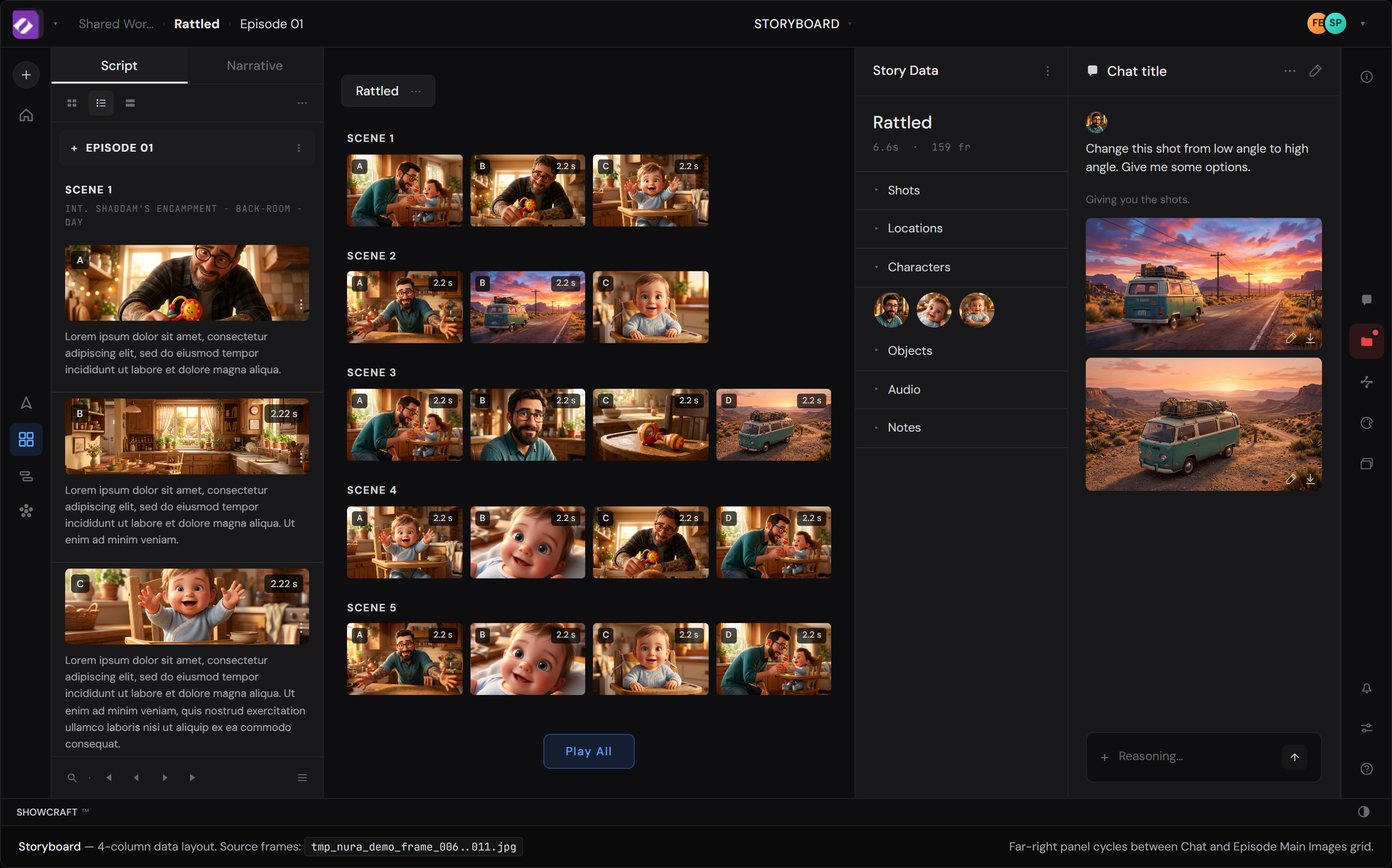
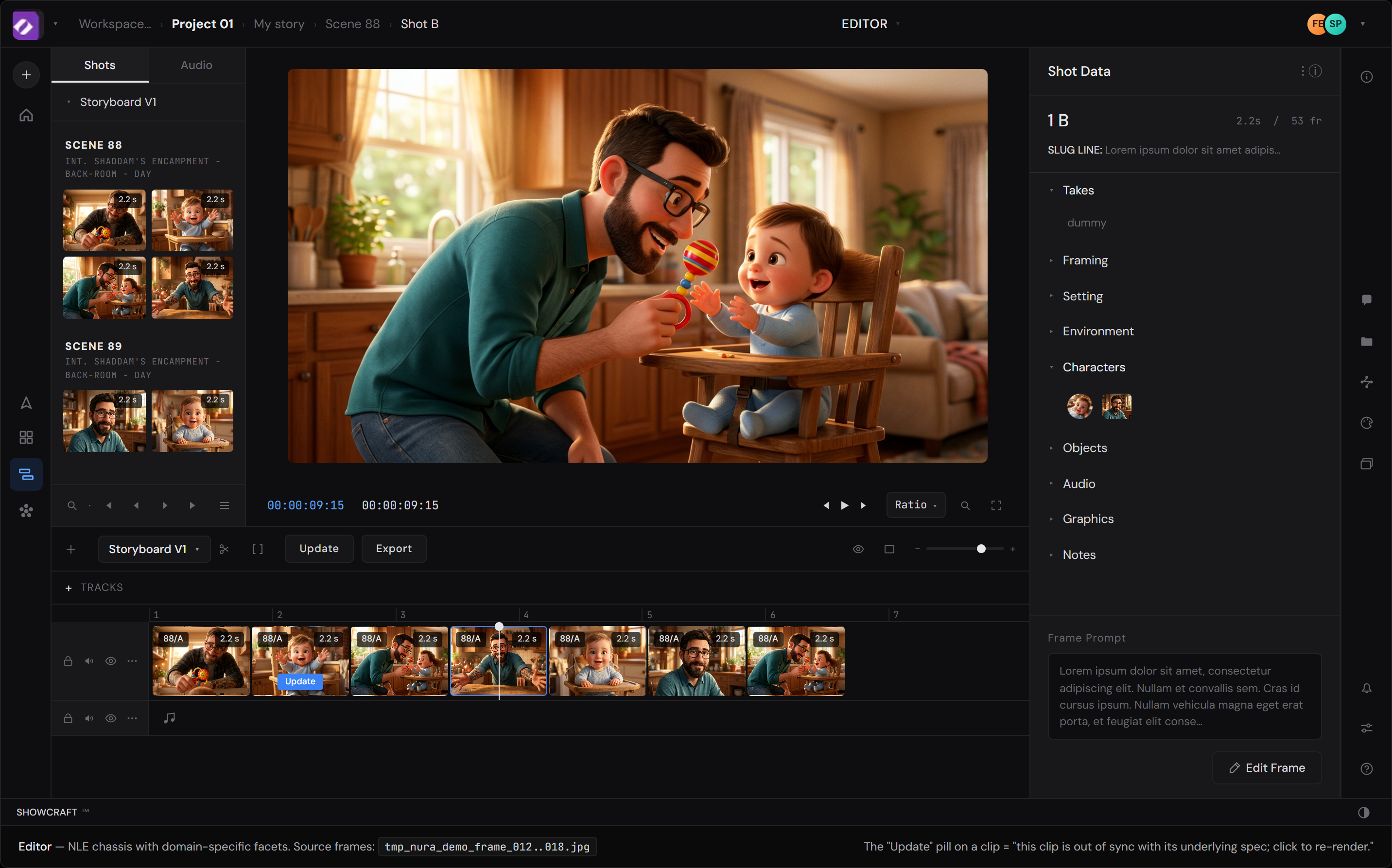
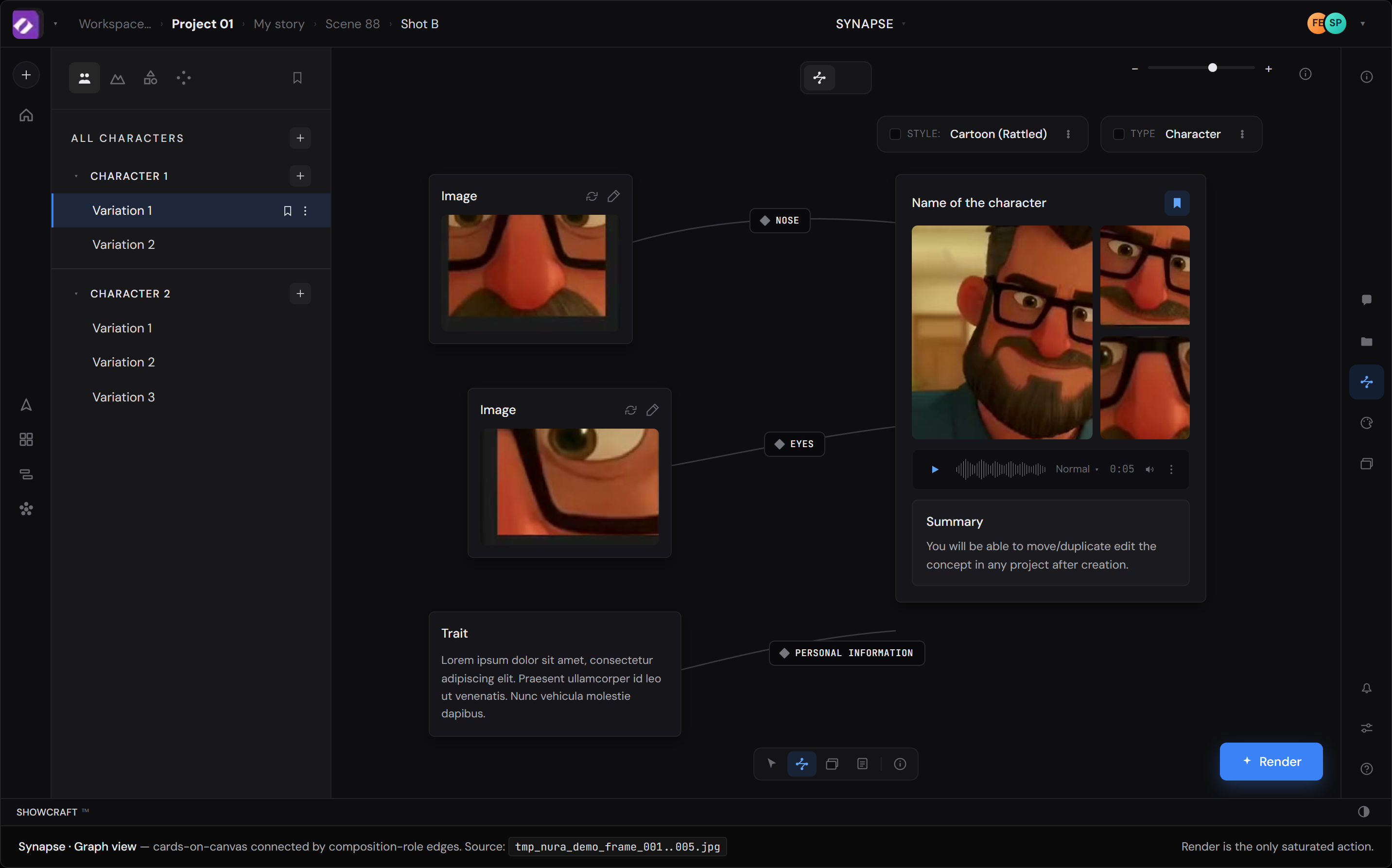
Observations from the Showcraft demo, mocked 1:1 in HTML against Nura's actual visual system. Two small additions that extend a principle Synapse seems to already embody at the asset layer: making context explicit, named, and editable rather than implicit.
Each Showcraft workspace reconstructed in HTML from the demo video, dense-sampled at 6fps to catch the pans. Open each in a new tab; best-effort 1:1 reproductions built from the loop, not from the actual product. The notes below reference these as the baseline; the act of rebuilding them is half of how the notes were found.
Files: mocks/synapse.html · mocks/storyboard.html · mocks/editor.html
From the demo, Synapse reads to me as an asset / primitive maker; a node graph for the things storyboard is built from. Characters, environments, shapes, and at least one more thing in the dock I haven't pinned down. If I'm reading it right, the three modes aren't co-equal lenses on the same object; they're pipeline stages. Correct me if I'm off.
If that's roughly the shape, Synapse is the most upstream of the three; the least developed in what I saw. The two notes below apply to all three modes, but Synapse is where they'd land first, because everything downstream is built on what comes out of it.
Both notes extend a principle Synapse appears to already embody at the asset layer: making context explicit, named, and editable rather than implicit.
Flagging openly: this is my read from one demo loop, not a confident map of your product. The specific design moves for Synapse itself aren't earned yet by what I've seen; worth a longer conversation when there's time.
From the demo, the chat panel reads as a persistent column in every mode's right rail; minimal contents: a prompt input, the AI's reply with thumbnails, a reasoning block, and a way to see previous chats. If that's the right read, two additions would extend the same principle Synapse already embodies: scope chips that name what the AI should act on, and hot-linked history; each artifact a chat produced links to where it now lives in the project.
The chat panel, as I read it from the demo, appears in every mode's right rail with the same set of tools: prompt input, AI reply with thumbnails, a reasoning block, and access to previous chats. That's most of the visible surface. What I didn't see (and might be missing, might be there and I missed it): explicit scope on what "this shot" refers to before the prompt runs, and a way to find where a previous chat's outputs ended up in the project.
The scope-chip mechanic is the first of the two additions. When the director clicks a node, shot, clip, or character, that entity materializes as a labeled chip in the existing chat input. Multiple chips stack. Empty chip area = "act on whatever I'm looking at." Each chip is dismissible with ×.
Today the AI guesses what "this" refers to: "is 'this shot' the one they just clicked, the one in the viewer, the one in the breadcrumb?" The chip system lets the user show the model what's adjacent rather than the model guessing. The implicit context becomes explicit and editable before the sentence is read.
Click any node, shot, clip, or character → it becomes a labeled chip. Chips stack. Empty chip area = "act on whatever I'm looking at." Each chip dismissible with ×. The chat input already persists across every mode (Synapse, Storyboard, Editor); same composer behavior. What scope chips add is making the implicit context explicit and editable before the sentence is read.
×. No more guessing what "this" refers to. The chips disambiguate scope before the sentence is read, so the system can route the prompt to the right operation in the right mode.
Each chat entry persists with its prompt, the AI's reply, the artifacts it generated; a link on each artifact points to where it now lives in the project. Click the link, jump to the node / shot / clip / character that the artifact attached to.
This solves a real problem in conversational creator tools: the AI generates five options, the director picks one, and three weeks later they can't remember where the picked variant lives or how they got there. Same chat column, more memory.
From the demo, "Render" in Synapse looks like a single-click commit; no preview, no token-cost-time estimate that I noticed. If that's accurate, the proposal: distribute the cognitive contract across stages, so the cost is visible before commitment, and creators can iterate without anxiety.
The four-stage flow below is generic; it works wherever expensive rendering happens. If the pipeline is roughly Synapse → Storyboard → Editor, then there's probably more than one render in the product: Synapse generating an asset, Storyboard previewing a shot, Editor producing a final sequence. Each could want its own version of the progressive contract. Open question for the Philippe conversation: which render gets the four stages first?
Click Render → wait → result. From what I could see in the demo, there's no preview, no token-cost-time estimate, no progressive disclosure. If that's the actual flow, then for a generative pipeline where renders take seconds-to-minutes and burn meaningful compute, the asymmetry between click effort and consequence is high.
If that's the flow, there's no texture between the click and the result; cost is invisible, intent is opaque, iteration cost is paid in full each time. A burned creator hesitates. The four-stage flow below would restore the texture.
Render button hover triggers a low-cost LoRA preview; the creator sees roughly what the full render will return, without committing. Almost-free preview lets intent and feedback meet before the click does anything expensive.
Click opens a slate: estimated time, token cost, style preset, output dimensions, variation count. Cost becomes texture before commitment, not regret after.
Variations stream in as they complete. Each is scrubbable mid-flight. Creator can pause or cancel without lost state; the render isn't a leap, it's a controlled descent.
Final variations land. Creator picks the favorite; the rest stay accessible in the column. Cancel mid-render preserves state; restart from where you left off. Asymmetric cost becomes asymmetric care.